

The way Honeygain works is quite simple. You install the app, it runs in the background, and it uses whatever bandwidth your devices are not using. Honeygain then sells access to that bandwidth to businesses, and you get a small cut.
I went in knowing roughly how it worked, but I still wanted to see it up close. There is a gap between understanding the concept and seeing the numbers, and that gap matters.
Passive income usually means something like property or stocks. You put capital in and it will grow over time. Honeygain does not ask for capital. Your internet connection is the asset, and you probably already pay for more of it than you use.
Whether that makes it worth your time is a separate question, and one I will get to.
I’ve tested this myself, and I want to be honest: my experience includes both the aspects that disappointed me and those that worked well. There are real limitations here, and it’s worth knowing about them before you download anything.
There are also plenty of apps like this that turn out to be a huge disappointment. I did my research carefully before committing my time to this app. The fact that Honeygain meets these requirements and the fact that it’s actually useful are two different things. I’ll take a closer look at both.
What is Honeygain, and how does it work?
Honeygain came out in 2018 with an idea so simple it almost sounds made up. You install the app, it quietly uses the internet connection you’re not using anyway. No tasks, no surveys, nothing to click. Businesses pay to access that connection as part of a larger network, and you get a cut.
When I first heard “share your internet and earn money,” I assumed something would be buried in the fine print. It’s available in over 150 countries, and it’s been adding new members at 30% growth each month, which is a lot of people reaching the same place I did.
And yes, it’s legit. I’ve been paid by it more than once, and I’ll show the payment proof later so you don’t have to take my word for it.
What’s actually worth looking at is how much you can expect to earn. This isn’t as simple, and it comes down to what earning options the app actually gives you.
Make passive income online
You install the app and leave it running. That is the whole job. Honeygain runs in the background, uses a slice of your internet bandwidth, and shares it with their clients for things like web intelligence and content delivery. You do not click anything after setup. You do not check in. The app just sits there.
It works on Android, iOS, Linux, Mac, and Windows. That list is longer than it used to be. When I first used it, the platform was available on far fewer devices. At some point they expanded, and now most people can run it on whatever they have.
You can also run it on more than one device, and Honeygain says that is the better approach for earning more. The ceiling is 10 devices. But there is a limit per network: one device per IP address. It used to allow two. That changed. So if you want to use multiple devices, each one needs its own connection. Whether that is practical depends on your setup.
If you only have one device, or one network, you will earn less than the theoretical maximum. That is just the math. It is still worth knowing where the maximum limit is, even if you cannot reach it.
On privacy, I checked what Honeygain says they collect. It is your email address, payment details, and device information like your IP address, operating system version, and device model. Plus basic network data. The software also uses a small amount of your bandwidth and device resources. They are clear that they do not touch anything sensitive, so no financial or identity documents. Whether you take that at face value is your call. I did, after reading it.
Honeygain Content Delivery
Content Delivery is a separate toggle inside the Honeygain settings. You click to enable it, and if it works, you earn 6 credits per hour on top of whatever you were already getting from the regular bandwidth sharing. The idea is the same: your connection does the work, you do nothing.
Two requirements though. Your network has to be stable, and it only runs on Windows and macOS. No other devices.
There are limited spots, and enabling it does not mean you start earning straight away. You might sit and wait for a while before a spot opens up. I have seen that kind of setup before on platforms like this, and it can be frustrating if you go in expecting instant results. You enable it, you check the dashboard, and either it says you are earning or it says you are waiting. Nothing to do but leave it on and check back later.
There is also a country restriction. At the time this was written, around 30 countries have access. If the option does not appear in your settings at all, your country is not included yet. Expansion is planned, so it is worth checking back after some time. Until then, the regular sharing still runs, and that works fine on its own.
Refer Your Friends
Honeygain’s referral program is simple. You get an invite link. Someone signs up through it, installs the software, and you earn 10% of their daily earnings. Not 10% taken from them. Honeygain pays that separately, out of their own pocket. Your referral keeps everything they earn.
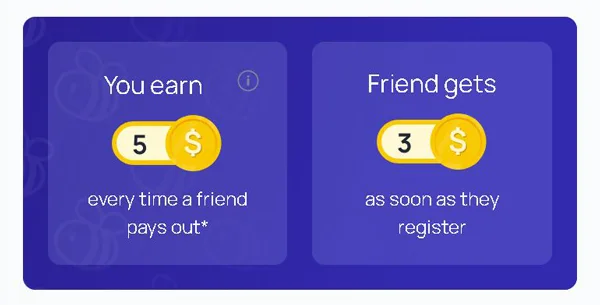
Sharing the link takes about thirty seconds. You can post it on Twitter or Facebook, or send it by email if that suits you better.
The 10% is not going to feel like much with one or two people. I won’t pretend otherwise. But if you have a group of people interested in this kind of earning, or an online following with any overlap here, it adds up in a way that’s hard to ignore over time. More active referrals, more daily earnings feeding your cut.
It’s one of those features I’d say is worth using from the start, even if the returns feel small at first. You’re not doing extra work for it. The link exists, you share it once, and it keeps running in the background.
How to withdraw money from Honeygain?
Honeygain pays out in PayPal or JumpToken (JMPT). Bitcoin used to be an option too, and I liked having it. They pulled it. Truthfully, the fees on Bitcoin withdrawals were so steep I had stopped using it by then, so the loss was mostly symbolic.
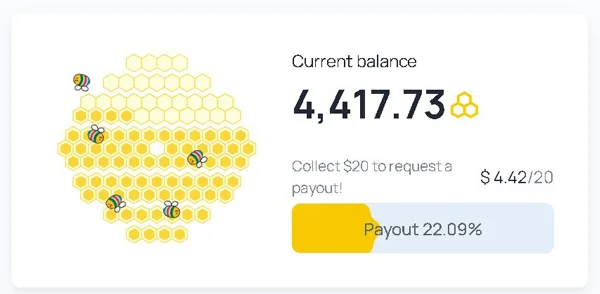
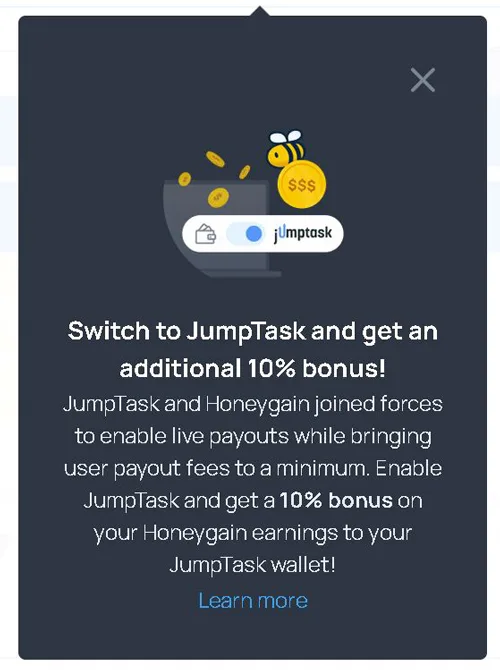
PayPal requires you to reach $20 before you can withdraw. JMPT has no minimum. You can take it out whenever you want, and Honeygain adds a 10% bonus on everything you earn in what they call JumpTask mode. That bonus launched at 50%. It came down to 10%. There is no promise it stays there either.
The PayPal fee is 15%. JMPT withdrawals cost nothing. I asked their support about the slow PayPal processing time (up to 7 business days) and they said there are no plans to change it. Honeygain paying out JMPT the same day while sitting on PayPal withdrawals for days tells you something about which direction they want you to go. Whether you agree with the strategy or not, the fee gap alone is enough reason to think twice about PayPal.
I moved to JMPT myself. After withdrawing to my MetaMask wallet, I convert to whichever crypto I want. One extra step, but I keep the 10% bonus and pay nothing to withdraw. For me, that settled it.
The earning rate is straightforward. Every 10MB of bandwidth you share earns you 1 credit. 10GB gets you $1. That is the conversion. It is passive income in the most literal sense: you leave the app running and it counts what you share. The patience required is in reaching that $20 PayPal threshold, and that can take a while depending on your connection and usage.
If you need faster access to your money, Honeygain is the wrong choice. ySense or HeyCash move faster. Honeygain suits someone comfortable leaving it to run in the background without checking it constantly.
How to Move JMPT to Your Own Wallet
Getting JMPT tokens out of Honeygain and into a wallet you control is not complicated, but there is one step that changed in November 2024 that you need to know about before you start.
The process itself is straightforward. You need a MetaMask wallet first. If you do not have one, you can create it through the app or the browser extension. Once it is set up, you add JMPT as a token manually. Go to the “Add Token” option inside MetaMask and enter the JMPT token contract address, which you can find on JumpTask’s official website. MetaMask will not find it on its own.
You cannot transfer directly from Honeygain to MetaMask anymore. As of November 2024, the transfer goes through your JumpTask account first. So you move your JMPT from Honeygain to JumpTask, then from JumpTask to your MetaMask address. Both platforms have their own guides on how to do this, and I would check both before starting because the steps matter.
Once the tokens are in MetaMask, you can do what you want with them. Connect to DApps, explore staking, use them in Web3. They sit in a wallet you own, not inside an app someone else controls.
How much money can you make?
Honeygain’s calculator is sitting right there on their website. I looked at the numbers. If you share 10 GB of data per day, you earn around $30 per month. I stared at that for a moment. Ten gigabytes. Per day. That is not a number most people casually have lying around.
So before anything else, you need to work out whether your internet plan can absorb that. If you are on unlimited broadband, this whole thing changes. You are already paying for that connection regardless. Sharing data through Honeygain does not cost you anything extra, and a small amount comes in without you touching it again. If you pay per gigabyte, though, you could easily spend more than you earn. That calculation matters before you install anything.
The other variable is devices. Honeygain lets you run the software on up to 10 at once, but each one needs its own network and IP address. One device per IP, full stop. It used to be two per IP (I remember reading that when I first looked into it), but that changed. If you have a phone on a mobile data plan and a laptop on home broadband, those count as two separate networks. That is an easy way to double what you share without doing anything complicated.
The passive side of this is its actual appeal. You install it, you forget about it, and the counter ticks up in the background. Nobody is asking you to complete surveys or watch videos or refer friends. The software runs and you earn. The income is small. Knowing that going in matters.
The only way to know is to run it on your own setup for a month and see what comes in. No estimate will tell you more than your own connection speed and your own setup will.
How to Earn Honeygain Credits
Sharing your internet connection gets you credits. Every 1MB earns you 0.2 credits. So 5MB earns you 1 credit, 10MB earns you 2, and 1GB adds up to around 200.
Each credit is worth $0.001, one thousandth of a dollar. To collect $1, you need 1,000 credits. Roughly speaking, that means 5GB of shared data equals about $1. I find it easier to hold onto that one number than to do the conversion in my head every time.
The figures above treat 1GB as 1,000MB, not the precise 1,024MB. Close enough for practical purposes, and Honeygain works the same way.
How to Get Support on Honeygain
The FAQ is there from the moment you log in. I’ve found it covers most of what you’d actually want to know, which saves a bit of back-and-forth.
If something isn’t there, the contact form on the website is how you reach the team. Not through the app. The app doesn’t have one, which I didn’t notice until I went looking for it. You have to go through the site.
I’ve contacted them a few times. They replied each time, which I wasn’t entirely sure would happen. No obvious delays, no being ignored.
They’re also on Instagram, Twitter, and Facebook. I check in there occasionally for updates. The pages get used, which isn’t always the case with smaller platforms.
Support works. Not much more to say about it.
Can Anyone Join Honeygain?
Honeygain takes sign-ups from pretty much everywhere. The only real requirement is an internet connection. No specific country, no special setup.
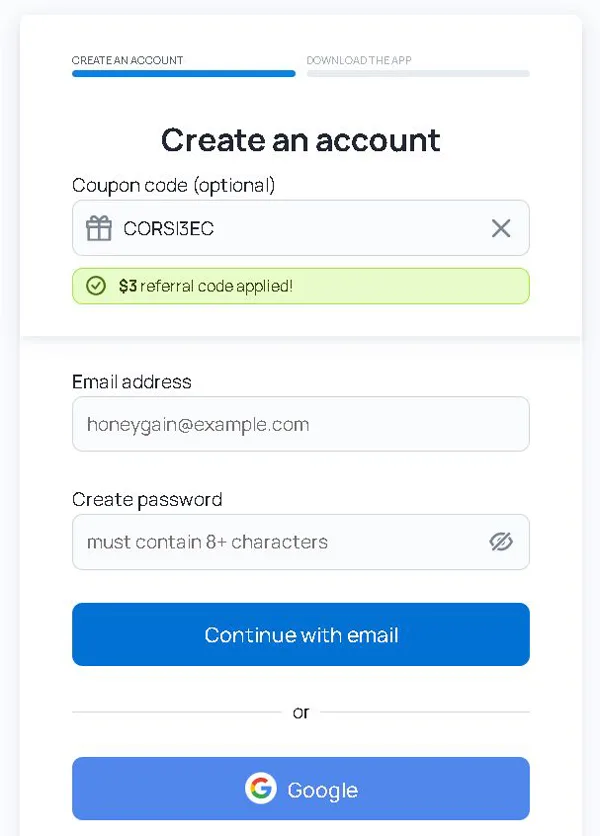
Registration is a form and a confirmation email. You click the link, and you’re in. I’ve seen more complicated processes for things that matter far less.
The age thing is a bit vague on their end. They say you need to be of legal age in your country, whatever that number is where you live. Under that, and you’d need a parent or guardian to give the go-ahead. Not unusual for platforms like this, but worth knowing before you start.
How much you earn is a different story. It varies depending on where you are, because the demand for internet traffic isn’t the same across the board. Some countries pay better. If you happen to be somewhere Honeygain doesn’t perform well for you, there are other options: Earnapp, GetGrass, ByteLixir, and Pawns all do something similar.
Can You Use It On Your Phone?
Honeygain runs on both computers and mobile. It started on Android, and iOS came later.
On Android, you won’t find it on Google Play. You have to download the APK, which you access from inside your Honeygain account once you’re logged in. An APK is a manual install file, the kind you use when an app isn’t going through the official store. It sounds more complicated than it is. Honeygain gives you a step-by-step guide the moment you click the download link, and it walks you through the whole setup.
Honestly, I wish it were on Google Play. That one extra step of downloading an APK outside the store is small, but it’s the kind of thing that makes you pause. It adds a little friction that shouldn’t be there.
The other thing to keep in mind is the battery. The app runs in the background while it shares your connection, and that costs you between 5% and 8% of your battery per day, depending on how old your device is. Worth thinking about if your phone is already on borrowed time by afternoon.
Is Honeygain Safe for PC?
Passive income apps and bandwidth-sharing apps tend to get lumped together with the sketchy stuff. I get why. Honeygain’s premise sounds odd if you have not heard of it before: you run it in the background, it uses the internet bandwidth you are not using, and researchers pull web data through your connection. That is it. No access to your files. Nothing touching your browsing history.
The researchers on the other end work for e-commerce companies, advertising firms, and web intelligence services. They use that access for market research, ad-fraud prevention, brand protection, pricing intelligence, travel fare comparison, and SEO monitoring. Your connection is just the route their data takes.
Battery drain is a real question. Honeygain pulls between 5% and 8% of your battery per day, and the exact percentage depends how old the device is. That said, it should not cause overheating on its own. If your device is running hot, I would look at everything else running alongside it. Hardware heats up in humid rooms with several apps open. Honeygain is rarely the only variable.
Honeygain uses bandwidth in a steady stream, and some websites read that pattern as bot traffic or a DDoS attempt. The sites that react are usually survey platforms and get-paid-to apps. If you use those, running Honeygain at the same time will probably get your IP flagged. If you do not use them, this is unlikely to affect you.
Trustpilot has reviews if you want to see what other people found. YouTube has walkthroughs too.
Is Honeygain worth?
It works. Honeygain pays you for sharing your internet connection and device resources, and it does what it says it will do.
The thing I’d tell anyone looking at it is to keep expectations low from the start. Not because it’s bad, but because the payout threshold is high enough that reaching it takes a while. I installed it on one device and had to wait much longer than I would have liked before I could withdraw anything. Two or three devices running at once would help, but not everyone has that setup.
Where it makes sense, in my opinion, is as something you add on top of other earning sites, not instead of them. I kept it running in the background while I was doing other things online. It added a small amount without me touching it. That part worked fine. But if I’d been counting on it as my main source of extra income, I’d have been frustrated.
The 10 apps I’d point you to instead have lower payout thresholds and more earning potential overall. They’re available in most countries, so finding one that fits where you are shouldn’t be a problem.
If you’ve tried Honeygain yourself, I’d genuinely like to know how it went for you.