
When I signed up for UserTesting, I thought I’d be answering surveys. It wasn’t like that. Here, you record yourself while you use a website or an app and say out loud everything that goes through your mind. Companies pay for that recording, because it shows them where their design isn’t working. And you get paid for talking.
I liked the idea right away. Talking about a website seems simpler to me than checking boxes one after another.
And yes, UserTesting is legitimate. It’s a GPT site (one of those that pay you for a task), and it actually pays.
But a legitimate site isn’t necessarily a site that’s worth it. I count my minutes just as carefully as my money, so this is the question I care about: how much time do you give it, and what do you get back?
In this review, I’ll tell you my answer and everything else I found on the site. By the end, you’ll know what to expect and you’ll be able to decide easily whether UserTesting is worth trying for you, too.
What is UserTesting and how does it work?
I signed up for UserTesting as a tester, because that’s the only side where you earn money. The site works on two sides, with companies and with testers, and each one is there for a different reason.
Testers are ordinary people who try out a company’s product, service, website, or new feature and say, mostly on video, where they got stuck and what problems they had, and the company fixes those problems before it officially launches the product or service. For a company, these tests matter a lot. They show it where things don’t work for the person using its product, while it still has time to change something.
I liked the idea. A problem fixed before launch costs the company less in the long run than one found afterward. And the tests are also how the company learns what people want from it, and it shapes its product around that.
UserTesting is a trustworthy site. You really do earn money from it. But that’s only half the answer. Is it worth your time, too? Not necessarily, and there’s no way to know until you understand how the site works, method by method. Below I go through all of them one by one, with the time and effort each one takes.
I worry more about the time you put into tests than about the money, because money earned honestly can still cost you more than it’s worth if it takes too much of your time.
Get paid to test
We’ve all been tripped up at least once by a badly designed order form or by a menu where we couldn’t find anything, and nobody asked us what we thought. UserTesting pays you for exactly that opinion. You get a set of tasks, you do them step by step, and you talk out loud while your screen and your voice are recorded. You don’t have to write a review of the product. Companies want to see for themselves whether the product is easy for an average person to use, and they pay you to try it in front of them.
What you test depends on the company, and the examples vary a lot:
- An online store gives you a made-up budget and sends you to find a specific pair of running shoes. You put them in the cart, go all the way to the last payment screen, and say out loud every fee you didn’t expect and every form field that makes you want to give up on the purchase. This test would suit me, because I get stingy about surprise fees anyway.
- Before it writes a line of code, a company shows you the design of an app that hasn’t launched yet, made in Figma or a similar tool. It asks you to find the “Settings” menu or change your profile picture, to see whether the new layout makes sense to an average person.
- A brand puts two versions of the same video ad or the same landing page in front of you, and you say on the spot which message grabs your attention, what confuses you, and whether the brand seems trustworthy to you.
- WestJet, an airline, wanted to know whether people could quickly find the travel rules and the latest announcements on its site, at a time when flight schedules were changing a lot.
- Microsoft has been finding design flaws with the help of UserTesting participants since 2014, and it asks them for feedback on everything from the company’s ads to Xbox games. You could end up in the menu of an unreleased game or in the interface of a mobile app.
- Skyscanner quickly gathers feedback from participants in many countries on how people book a vacation.
- Nonprofits have tests too. Code for America, for example, hires testers who are as different from each other as possible, so that anyone, wherever they come from, can read and understand what the organization says online.
Some tests are about money (the fees at checkout), some are about trust (the brand in the ad), and some are just about where a button goes.
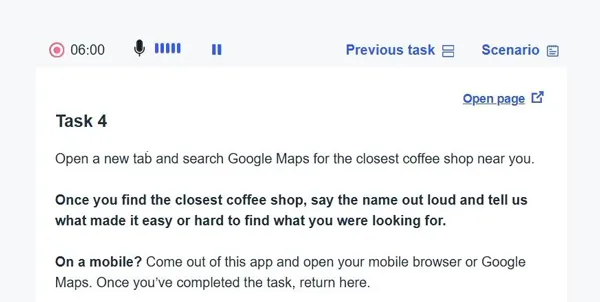
How long a test takes depends on the format. Microtasks take about 5 minutes and mean a few clicks on a single page or a few short questions about how it’s laid out. Standard unmoderated tests take 15-20 minutes, and you do them with no one next to you. A sidebar on the screen gives you 10-15 written instructions, for example to find the contact button and say what you think of its color, and you talk into the microphone the whole time you work through them. Moderated live interviews take 30-60 minutes, and these are the complex studies. You book a time, join a video call with a researcher from the company, share your screen, turn on your camera, and answer direct questions about how you use technology and how you decide what to buy. The part with the camera on scares me a little.
The pay per minute is very good. A 15-minute test that pays $10 works out to $40 an hour, which is very high pay for an 18-year-old. But that hour is only the time you’re actually talking. Tests depend on how many are available to you, and you can make $50 in one day and then go a whole week without qualifying for any test. Can I count on this money? Not really. It’s a shame, because the pay is good, but you don’t get to choose when you have work.
Every video you submit goes to the client, who rates it from 1 to 5 stars based on how well you followed the instructions and how clearly you spoke. With an average below 4 stars, you get far fewer tests. And since tests are scarce anyway, that rating keeps me on pins and needles with every video.
Payment only comes after 14 days (336 hours), counted from the exact minute you finished the test. That’s the company’s official policy, and there’s a reason for it. During that time, they check that the audio was recorded and that you didn’t send a silent or blank video. I’d have liked to see the money sooner, but I understand why they wait. The platform is safe, signing up costs nothing, and the money comes through PayPal every time.
For me, it’s enough to know that I’ll get paid for a form that annoyed me, even if only after 14 days.
Live interviews
I expected a live interview to be like a job interview, with nerves and tough questions. It wasn’t. The conversations were often funny, and the researchers I talked to were generally polite and happy to help.
With the other tasks on UserTesting, you respond to written instructions, with no one in front of you. Here, you book an appointment for an exact time and talk in real time, on video, face to face, with a researcher from a company. You show them your screen, answer their questions live, and get paid for it. These are the best-paying tasks on the whole platform.
The pay depends only on how long the interview lasts. A 30-minute interview pays $30, and a 60-minute one pays $60. Every minute of talking is worth a dollar, no matter how long the interview runs, and I like that my time pays the same in the first minute as in the last. If you want to get as much money per hour as you can out of UserTesting, there’s nothing better, and $60 for an hour of talking about apps is a very good rate.
Getting to the call takes only a few steps. You pass a screener, the platform opens a calendar for you, you pick a day and time from the slots still open, and at that time you join a call, usually through a third-party video program like Zoom. Your camera and microphone have to be on. The researcher shows you a website, a mobile app prototype, or an idea for an ad. You try to find your way around it and say on the spot what you think, what you like, and what frustrates you.
Companies pay a lot to talk to people live, and because of that, they don’t bring you in for small things. The studies usually focus on people’s deep-rooted habits or on complicated software. A bank might ask you to show them your phone screen live, so they can see how a young person sets up a savings goal. They want to catch the exact moment you hesitate or a financial term confuses you, and I think that’s a good thing, because there’s no way to give a wrong answer there. A big gaming company might show you the first sketches of the main screen for a multiplayer game that hasn’t come out yet and ask you, the way you’d ask in a normal conversation, whether the menu options are clear or too crowded. And a media network might interview you about what you choose to watch, asking you to show them how you look for new movies or to tell them why you use one streaming app and not another.
But open slots are very rare, and the competition on the screeners is stiff. An average participant qualifies for only 1 or 2 live interviews a month. I added up the numbers, and in the best case, with 2 one-hour interviews, it comes to $120 a month. With a single 30-minute interview, it comes to $30. That’s a lot for an hour of talking, but too little to count on.
I’m not one to lead with the bad stuff, but the risk here has to be said. If you miss an appointment, your whole account is at risk and can be deleted. For an interview, you need a quiet place around you, and you have to be there right on time.
I treat them as a bonus that doesn’t come often and is a treat when it does. When one shows up in your account and you qualify, you grab it right away, because the next one may be slow to come. If none shows up, I don’t feel bad about it, because I never counted on that money in the first place.
How do you get paid?
On sites like this, the money you earn usually sits in a balance until you reach a threshold, $20 or $50, and only then can you cash it out. UserTesting doesn’t work that way. There’s no balance to build up, no threshold, and no withdrawal button in your account, because everything happens automatically.
I linked a verified PayPal account to my profile, and since then every test I’ve finished has been paid straight there. If you do a single short $4 task, you get exactly $4, sent automatically, without it waiting for more money to join it. And I like that, because small amounts no longer get stuck somewhere until they add up.
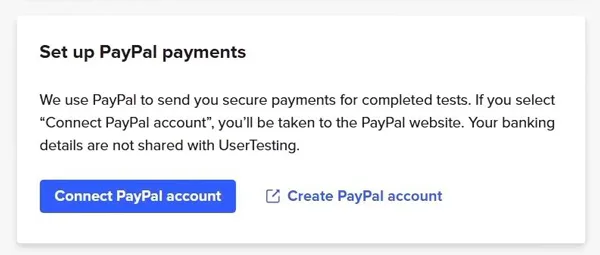
There’s only one method: PayPal. There’s no bank transfer, no checks, no crypto, and no store gift cards (Amazon, for example).
The payment doesn’t come right away. It comes after 14 days, or more precisely after 336 hours, counted from the exact minute you submitted the test. Why such a long wait? Because the company gives its clients time to look at the quality of the video and check that the audio is clear. Let’s say you finish a $10 test on a Tuesday at 4:15 p.m. The system schedules the transfer on its own, and 14 days later, again on a Tuesday and again at 4:15 p.m., the $10 shows up in your PayPal balance.
And each test is counted separately. With 5 tests done on different days of the week, you get 5 separate payments in PayPal, each one 14 days after its test. After the first payment, the others start coming in one after another.
This payment system has given me a lot of peace of mind. Because the money doesn’t sit in a balance on the site, I have no reason to worry that the site will disappear with what I’ve earned, and every approved video is sure to be paid. But waiting for the first payment is tough. Anyone used to sites that pay on the spot will find the two weeks very long, and I had a hard time waiting too. Even so, knowing my money is safe matters more to me.
If you want to try other sites that pay through PayPal, I’ve written reviews on my blog of several I’ve tested, including Eureka Surveys, Mindswarms, and Marketagent. I invite you to read them when you have time for an objective review. With those sites too, the money goes to PayPal.
How much money can you make?
The pay per test appealed to me a lot right from the start. How much you get depends on how long the test takes and how it’s set up. The shortest are the $4 micro-tasks, which take about 5 minutes and usually have you pick the design you like more or do a simple click test on an image. A standard, unmoderated test lasts 15-20 minutes and pays $10. During that time you follow written instructions on the screen, without talking to anyone, with your voice and screen recorded the whole time. Live, moderated interviews go even higher, with $30 for 30 minutes and $60 for a full hour. For these, you book a time slot and sit face to face, on a video call, with a researcher from the client company while you share your screen with them.
I was doing some simple math. If a $10 test takes me 15 minutes, that comes out to $40 an hour. For an 18-year-old saving up spending money, that rate is very good. But an hour paid like that only exists if there are tests you qualify for.
And this is where I ran into the part that holds everything back. You can’t take just any test that shows up in your dashboard. Before every paid test, you answer a few short multiple-choice questions, called screeners, that check whether you’re exactly the consumer the client wants to interview. The rejection rate is 90%. It’s a shame every time you see a well-paid test and the filter shuts you out of it after a few questions.
Because of the filters, an approved participant qualifies for only 1-3 tests a week on average. If they were all standard $10 tests, that would come to between $10 and $30 a week, and that’s at best.
But even that number depends on the country you live in. Testers in the United States, Canada, the UK and Australia get the most tests, because companies targeting these big markets post hundreds of screeners every day. Testers there who leave the site open on their laptop all day say they average between $50 and $150 a month. In Europe, Asia-Pacific and Latin America, the dashboard has far fewer tests, because companies rarely look for people from these regions for general English-language studies. Testers in these regions say they often qualify for only 1 or 2 tests a month, for $10-$20 in total. $50-$150 or $10-$20 a month? The only difference is where you live.
And even if you live in a country with plenty of tests, you can’t make them show up when you want. The volume is completely random. You can make $30 in a single afternoon and then go two weeks without qualifying for another dollar. It’s hard for me to rely on money that comes in like that.
UserTesting is a trustworthy site and pays very well per test, but the final amount depends on things you have no control over. I see it as an unpredictable source of pocket money, not as a job you can count on. The money from it is enough for small personal expenses, like a streaming subscription, a gym membership, some fast food or a video game.
I keep it for small extras, so I don’t feel it in my budget when the tests stop showing up.
How do you ask for help?
Whatever problem you have on UserTesting, you end up at the UserTesting Contributor Support Center. What helped me most there was the part where I didn’t talk to anyone.
There are four official channels, and the first three come in order:
- The knowledge base (Contributor Knowledge Base & FAQ), a large set of ready-made guides with search filters. You use them to fix common errors on your own, for example a microphone you can’t get set up or a browser plugin that freezes.
- The chatbot (AI Chatbot Widget), a chat bubble in the bottom corner of the screen when you’re logged in on the dashboard. The automated bot tries to guess what went wrong and gives you the articles that match. You have to go through it, even if you know from the start that your problem needs a person.
- The ticket form (Support Ticket Form), which you only reach once the bot hasn’t solved anything. You’re asked for your email, the exact operating system of your phone or computer, and screenshots of the error.
- The UserTesting CommUnity forum, where active contributors give each other tips and discuss the rules.
The first option is the one I liked. The guides are very detailed, and if you have a simple setup error on a Mac or a Windows PC, they take you step by step all the way to the screen recording permissions, without any human involved. This part actually works.
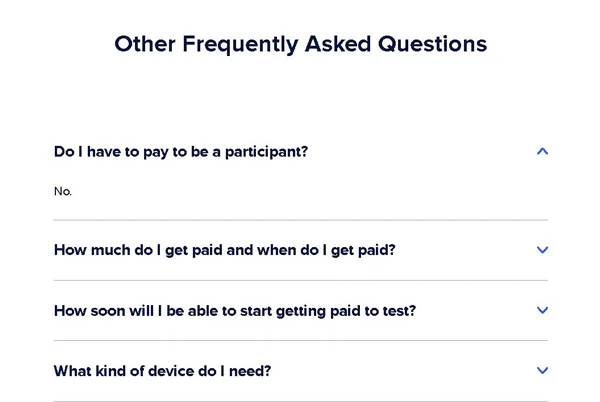
With people, it’s harder. To get to them, you go through the bot, then fill out the ticket with all the details they ask for, then wait between 5 and 14 business days for a reply to an ordinary technical problem. And if the error is a less common one or one of your uploads got lost, the two weeks of waiting end with a generic reply that drains all your enthusiasm.
I was hoping a test that stopped because of the platform would at least be paid for the part that was done. But if an unmoderated test stops at minute 15 because of an error on their end, support almost never pays for the part you worked, and it doesn’t give a flat $10 payment either. Tickets about lost videos or uploads stuck on mobile usually get closed with an automated message advising you to check your home internet speed. It’s a shame, because after all that waiting you get advice, not the money. Now I no longer rely on support when a test goes wrong.
The highest priority goes to locked accounts and rejected PayPal email addresses. If the payment bounces back because your PayPal isn’t verified, someone from support needs around 10-15 days to manually reprocess the payment, and only after that does the money go back into the automatic 14-day deposit cycle. For money you had already earned, that’s a long wait.
The only thing I can do ahead of time is keep my PayPal verified, so at least my payment doesn’t end up waiting in line.
What I Found in UserTesting’s Trustpilot Feedback
Canceled payments with no explanation scare me, because they come up often among the negative reviews testers leave on Trustpilot. You finish the test, wait for the money, and the money never comes, with no one telling you why. That’s when you lose twice: once the time you put into the test, and once the money you thought was already yours.
And if you write to support, you run into another complaint that keeps coming up. The system marks your ticket as “resolved” on its own, before a person reads it. It frustrates me when I read something like that, because that’s exactly when you need someone to look at your payment. The third complaint has to do with the tester dashboard, where some tests don’t load properly. That one is easier to put up with, because there you only lose time.
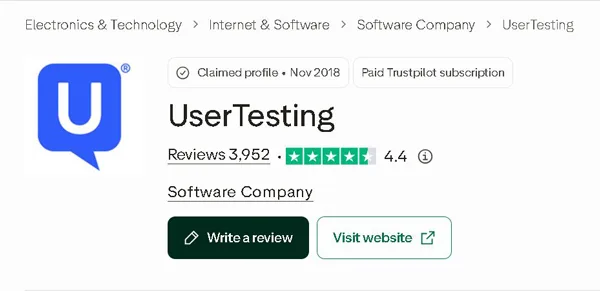
But the rating stays high. The site has 3,952 reviews on Trustpilot and an average of 4.4 out of 5, because many testers are happy with the clean interface, the clear instructions, and the screen recording software, which runs smoothly. That seems normal to me. A site that anyone understands on the first try, and where simple usability tests go fast, earns good ratings.
I also checked whether the ratings are genuine. Trustpilot automatically looks for reviews that break its rules, and the company hasn’t requested reviews lately, so nobody asked people to write something nice. That matters to me.
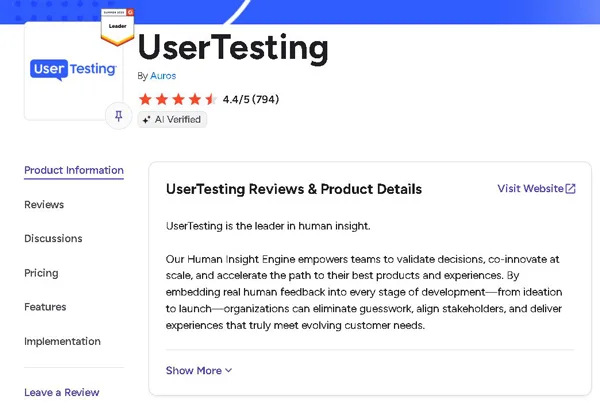
I thought the companies would be harsher than the testers, because they’re the ones paying. They weren’t. G2 has 794 reviews from business customers, with the same 4.4 out of 5 average, and the tone is almost entirely positive. Companies praise how simple the platform is to work with, the feedback that comes in fast, and the good video recordings, and they see it as a standard in UX research. Still, they often list the price as a downside, small startups especially. The other downside is the quality of the recruited participants, which varies a lot. That part is about us. Companies run into both very good testers and weaker ones.
Nothing big has changed in what people think about the site, at least from what I found. The new discussion is about the rebrand to Auros. People are now talking on x.com about it and about the direction the company will take in the AI lifecycle.
I added up the reviews from the two platforms and they come to around 4,700. It’s a big number, but the reviews are written by people who had something to say, good or bad. The many people who use the site quietly and don’t write anything aren’t captured by any rating.
Red flags you should never ignore
A completed test should mean getting paid. But I found several credible allegations from testers whose already completed tests were cancelled, with payment withheld without any explanation and no way to dispute the decision with support. I have no way of verifying every case. But it worries me that you have no one to complain to.
Testers also often complain about screener surveys. You fill out a long, unpaid one, qualify for the test, and then find out that all the spots have been filled. People call it “data harvesting,” and I think they’re right, because your answers stay with the company. It’s time you give away for free.
The tester terms give the company broad rights to make commercial use of the video and audio recordings you submit. UserTesting states this itself, and it’s common practice in the industry. But you pay with part of your privacy, and that’s worth knowing before you turn on your camera.
I came across people on both Quora and alidropship.com who pose as UserTesting and ask for a sign-up fee or bank transfer details. If anyone asks you for something like that, don’t send anything! The real sign-up for testers costs nothing, and any request for money up front comes from someone else.
Who can use UserTesting?
Signing up for UserTesting only makes sense if you have an active, verified PayPal account. The company doesn’t pay through any other method, and it asks for your PayPal address right at the start of the application, along with your name. It’s the requirement the money depends on, so I’m putting it before the others. The other official requirements are easier to meet:
- at least 18 years of age, so you can create a participant account
- one of the 34 countries where UserTesting accepts participants
- one of the languages they support: English, German, or French
- a computer or a mobile phone with a microphone you can rely on (during the test, you’ll be talking into it the whole time)
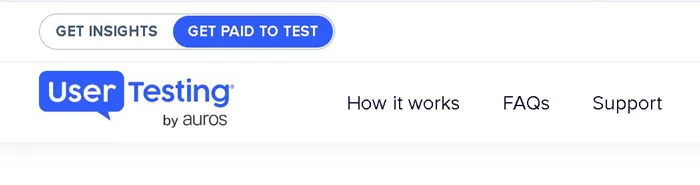
When you go to the official site, the “Get Insights” option is selected by default, and it doesn’t help you earn anything. In the top left corner you’ll also find “Get Paid to Test,” the only one that matters for anyone who wants to earn money. From there, you apply for a job (that’s what they call it, although at first it’s just an email address and a test). The application has 5 steps:
- You enter your email address on the official application page and check the box to accept their terms.
- You fill in your full name, your postal code, and the email for your PayPal account.
- You answer the questions about yourself (your age, whether or not you work, your hobbies, the devices you own), because companies use this information to choose the audience they want to reach.
- You take the practice test, which lasts 7-10 minutes and isn’t paid. The UserTesting program asks for permission to record your screen and microphone, and then you get a sample site and a few tasks. While you do them, you say out loud everything you’re thinking, what you like, what confuses you, and where you go on the page. You talk as much as you can, as clearly and honestly as you can. You can’t get it wrong, because there are no right or wrong answers.
- You submit the video and wait for their reply by email.
I don’t like letting a program record my screen and my voice. But on UserTesting, the recording is the actual work you do, and you know that from the first minute of the test.
The company says its team reviews your application and gets back to you within a few days. But it was faster for me. I spent 7-10 minutes on the practice test without getting paid anything, talked into the microphone the whole time about a sample site, sent in the video, and the next day I already had the email accepting me into the panel. That seemed fair to me.
Can you use it on your phone?
I expected tests on a phone to be the same as the ones on a computer, just on a smaller screen. They aren’t. And they’re a big part of UserTesting, because companies want to find out how easy their apps and websites are to use on mobile.
I got the official UserTesting app, which is in the App Store for iPhone and on Google Play for Android, and I did tests from the couch, but it works just as well from a coffee shop or wherever you are. I liked how natural a test on a mobile game or a fast-food ordering app felt, much easier than making my way through a clunky desktop site.
But the convenience comes with a need for patience. The mobile app is much less stable than recording in the browser on a computer. I dread the moment the app crashes at minute 19 of a 20-minute test, because then all that time is lost and the pay is zero. It’s a waste of work that was almost done.
Notifications can also ruin a test. A message or a call that comes in halfway through can mess up the recording, or your private messages show up right on the screen while everything is being recorded. This worries me more than a crash, because a lost test is just time, but I don’t want someone else reading my messages.
The app records the screen, your voice, and every tap on the screen. The selfie camera only turns on if you explicitly tap “agree” on a special question before the test, so your face doesn’t end up in the recording without your consent. That reassured me.
For the app not to block you from the start or crash halfway through, your phone has to meet some very specific requirements:
- An iPhone or an iOS tablet needs one of the 2 most recent versions of iOS, and right now that means iOS 17 or newer.
- Android phones need at least version 10.0 to be used.
- Xiaomi is listed on the official tester support pages as a brand that isn’t recommended, because of serious software problems that ruin recordings. I liked that they didn’t hide this, because otherwise a tester with a Xiaomi would only find out after their first test got ruined.
- At least 400 MB of storage has to be free before you start a test.
- The battery has to be at least 20%, because below that the app can stop the recording, so a phone that starts out with the battery right at the limit risks losing the test along the way.
With everything checked off, you’ll have fewer surprises, but you’ll still need patience.
Is UserTesting a legit way to make money?
When I heard that a site pays well for a few minutes of talking in front of a camera, I expected it to be a scam. It isn’t. UserTesting is legitimate, it has been around for a long time, and the company behind it recently went through a merger, after which it changed its name to Auros. The platform itself is safe.
The tests are fair too. You use a website or an app, record yourself, and say out loud, in English, everything you’re thinking as you click through the pages. For the time you spend on a test, the money is good.
But it’s not all good. You don’t get many tests, and how many come your way depends a lot on the country you live in. You can only cash out through PayPal. Could I live off the tests here? I don’t think so.
The companies that pay for the tests get a very good experience, with solid UX research tools, quick feedback, a simple interface, and access to a whole lot of clients in the B2B market. For product teams at large companies that need feedback from real people, and lots of them, UserTesting is the right choice. But for us, the people who take the tests, things are different. Support for testers is hit or miss, tickets close on their own, held payments are left with no explanation at all, and sometimes a payment gets canceled for no clear reason. It’s a shame, because the test is already recorded when the money doesn’t come through.
I’m not one to assume the worst, but there’s one more risk that doesn’t come from the platform. There are people who pose as UserTesting and ask you for a fee before you start. If someone asks you for money so you can work, it’s a scam coming from outside.
Even with all these problems, UserTesting is still at the top of its field. For extra money, it works very well. As a main source of income, it doesn’t. If you want income you can count on, also take a look at other survey sites, like Prolific, Prime Opinion, or EarnStar, where the money comes in more steadily.
And if you’ve used UserTesting too or have a question, tell me in the comments how it went for you there!